
Frequently asked questions about the Manatee Rescue and Rehabilitation Database.
Click Login/Register on the top right corner of the page, then click the "Log in with Login.gov" button. If you previously had an account with the old system, please ensure your Login.gov account uses the same email address.
For information on creating a Login.gov account, please refer to Create an account on the Login.gov site.
Important: we are unable to provide support for Login.gov accounts. Please refer to the Help Center for assistance.
Please refer to the Login.gov Help Center for assistance.
The system has data from 1976 through today.
You contact the administrators using this form.
Please copy the address of the page that is displaying the incorrect data and send it to the administrators along with the data that needs to be corrected.
You will first need to add the manatee by clicking on "Enter Manatee Data", then "Manatee".
After creating the new manatee entry, the manatee's information page will display. Click on the "- Select to add -" drop-down on the right to add event information, an animal ID/tracking ID, or a tag.
Note: Adding certain events, such as a rescue or transfer, also allows adding an ID and tags in a single form.

If a search for a manatee does not produce the manatee of interest:
- Try entering only part of the name such as Ros, or part of the Animal ID such as SWFTm08, the system will find all animals that have ros anywhere in the name, so Rose, Rosie, and also Frosty are displayed or all animals that have SWFTm08 in their ID.
- If the animal is currently located in a facility, search by selecting Current Captives by Facility under Database Search.
- Try entering only one identifying value in search for an individual manatee. The system will try to find an animal that has all the criteria you list, so if one is mistyped, then it won't match any animal.
- If you still can't find the animal, try entering a different piece of information. If you can't find the animal by name, try entering an ID or perhaps the Pit Tag number.
You can update your entries within 30 days of submitting them.
After 30 days, a System Administrator will only be able to update them. Contact the system administrators with the Mlog, Animal ID, and information about the change. They can change the record for you.
First, search for the animal by clicking on Database Search > Manatee Search.
Enter the identifying info, then click on the Search button at the bottom.
In the list of matching manatees returned, you can add an event directly by clicking on "- Select to add -" under "Add Event/Info" in the target manatee's row.
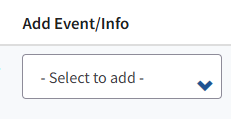
You can also click on the manatee number on the left to bring up the manatee's info page, then choose "- Select to add -" in the upper right corner of the page.
Events, animal IDs, and tags can be added through these menus.
A new animal ID/tracking ID can also be added when adding a rescue or a transfer.
New tags can also be added when adding a rescue, transfer, release, or death.